NO ACCOUNT. NO ADS. PRIVACY FIRST.
When migraine clouds your day,
keep tracking simple.
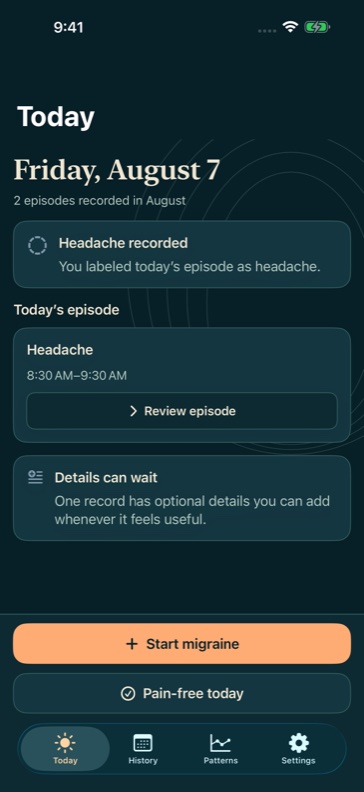
Start tracking a migraine or headache with one tap. Add details later, record pain-free days, and see your recorded trends for a fuller picture.
Less effort. More clarity. · Free core diary
PERSONAL MEANS PERSONAL
Your diary belongs
to you.
Stored on your iPhone. No account required. No ads or third-party analytics in the app.
Core logging works offline. App Lock, access to your full diary, export, and deletion stay free—even if Pro ends.
Read our privacy policy ↗01Start tracking with one tap.
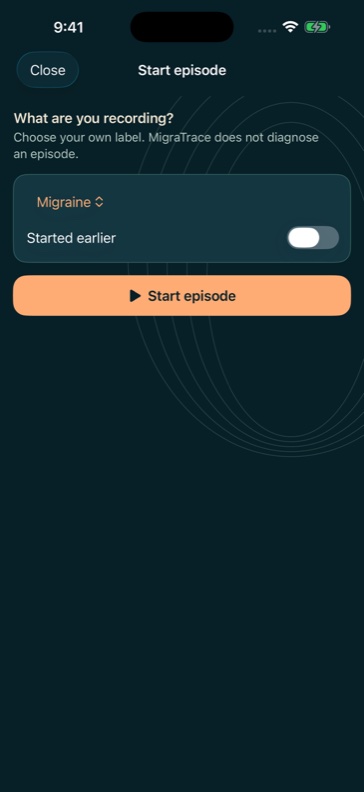
Tap Start Episode once to begin tracking. Symptoms, severity, treatments, and notes can wait until you feel ready.
02See the whole picture.
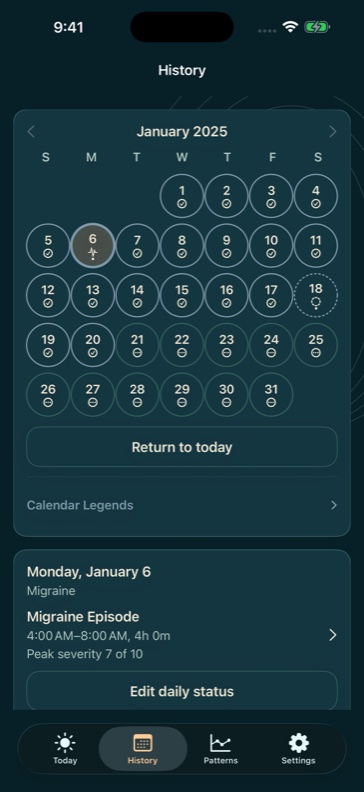
Keep migraine, headache, and pain-free days distinct. Days you haven’t recorded stay unknown.
03See your recorded trends.
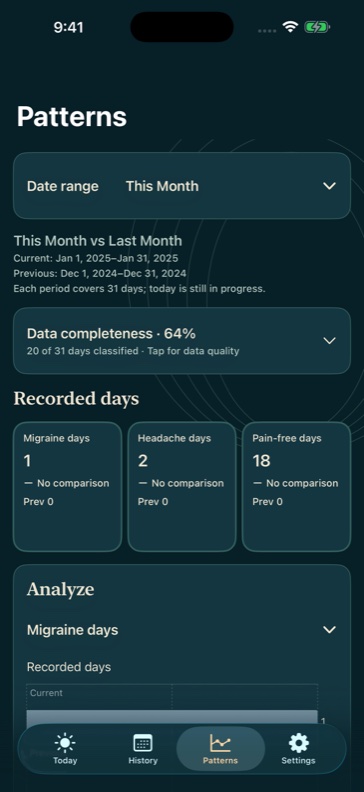
Basic monthly counts show your recorded days. Explore longer periods and comparisons with Pro, with gaps in your diary kept visible.
A LITTLE CLARITY, EVERY DAY
A diary that meets you
where you are.
From the first entry to the bigger picture, your records stay within reach.
Actual app screens with fictional sample records. Swipe or scroll to explore; select a screen to enlarge.
04 / OPTIONAL · PROLess context to enter.
Enable automatic weather capture for new current diary entries and read-only Apple Health summaries for supported categories. You choose what to enable and grant permission separately. Weather uses foreground location; past requests need location confirmation.
05 / MEDICATIONSPrivate reminders. Your timing.
Keep medications, treatment use, and recorded responses together. With Pro, set optional medication reminders at times you choose. Neutral notifications omit medication names and doses.
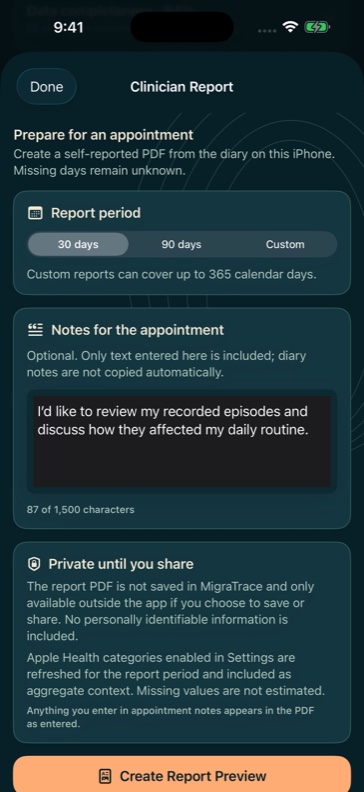
06 / REPORTS · PROBring your story with you.
Create a PDF summary for your next appointment and choose when to save or share it. Supported Health summaries can be included; weather remains linked to diary records.
START WITH WHAT YOU NEED
A free diary.
More perspective with Pro.
Your records remain yours, whichever you choose.
MIGRATRACE
The everyday essentials.
- Episode logging, symptoms, treatments, and notes
- Migraine, headache, and pain-free days with your complete history
- Medication records and treatment responses
- Basic monthly counts and data completeness
- App Lock, data export, and deletion
Free core diary. No account needed.
MIGRATRACE PRO
A broader view.
- Longer-range Patterns and comparisons
- Episode duration, severity, impact, and treatment summaries
- 30-day, 90-day, and custom PDF reports
- Optional Apple Health and weather context
- Private medication reminders at times you choose
An optional in-app purchase. Prices and available offers are shown in the app.
A FEW THINGS TO KNOW
Here to help.
Questions about MigraTrace?
app@migratrace.com
Please don’t include medical records or sensitive health details in an initial support email.
Can I use MigraTrace without Pro?
Yes. Core logging, your full diary, basic monthly counts, App Lock, data export, and deletion are free. Pro adds longer-range analysis, PDF reports, optional context, and medication reminders.
Does my diary sync between devices?
No. Your diary is stored locally on your iPhone. The diary database is excluded from iCloud and computer backups. Export records you want to keep before deleting the app or changing phones; exports are copies for your use, not an in-app restore feature.
Does it predict migraines or identify triggers?
No. MigraTrace summarizes what you record. It does not predict attacks, establish causes, diagnose, or recommend treatment. Optional factors and context are observations for your own records.
Do I have to connect Apple Health or location?
No. These features are optional. Core logging works without Apple Health, location access, notifications, or a network connection.
How do I manage a subscription?
Manage or cancel your subscription through your Apple Account subscription settings. Deleting MigraTrace does not cancel a subscription. If Pro ends, your diary remains accessible.
One entry.
One less thing to hold onto.
Coming soon to the App Store